
Virtual hosts and load balancing
UPSTREAMS configures the default /api/ pool. Use JAPKA_ROUTES when a single listener needs to serve multiple applications. From a working directory with a public/ site or an explicit DOCUMENT_ROOT, this configuration sends one virtual host to a documentation service and gives every other host a shared store route.
export JAPKA_ROUTES='[ {"host":"docs.example","prefix":"/","upstreams":["127.0.0.1:9010"]}, {"prefix":"/store/","upstreams":["127.0.0.1:9020","127.0.0.1:9021"]}]'export JAPKA_HTTP_BALANCE=least_connectionsjapkaRoute hosts accept exact names and leading wildcards such as *.example.test. Exact hosts take priority, followed by the longest wildcard suffix, then routes without a host. Within each group the longest matching path prefix wins. A wildcard route can match multiple subdomain labels and does not match the bare suffix. Host matching is case insensitive and ignores the request authority’s port. Prefixes start and end with a slash and match the normalized incoming URI path (requests containing .. traversal segments are rejected with 400). Japka forwards the original path and query and serves files from the matching site root (or DOCUMENT_ROOT for an unmatched host) when no proxy rule matches. Duplicate host/prefix pairs, empty pools, and prefixes containing ? or # fail startup. If both variables are set, Japka adds UPSTREAMS as a host-independent /api/ route alongside the JSON rules. Defining the same host-independent prefix in JAPKA_ROUTES then creates a duplicate. When the configuration file supplies a routes array, it replaces both environment settings. With no configured proxy routes, all paths go to the static handler. To add a file-defined route while preserving inherited routes, see the review example.
Bare upstream addresses and http:// URLs use plaintext HTTP/1.1 and receive Host: backend. HTTPS upstreams also use HTTP/1.1 and receive their configured authority in the Host header. The default, JAPKA_HTTP_BALANCE=round_robin, rotates through equal-weight upstreams. Least connections counts outstanding proxied HTTP requests, including response bodies in flight. It selects the least busy peer and rotates ties. The plain listener and encrypted transports share pool state. With active checks enabled, selection skips unhealthy peers. By default each forwarded request selects one peer. Upstream TCP connection establishment times out after five seconds. A transport error before the upstream response headers arrive returns 502. If those headers take more than 60 seconds, Japka returns 504. Once the headers arrive, Japka streams the response body.
How a request reaches its destination
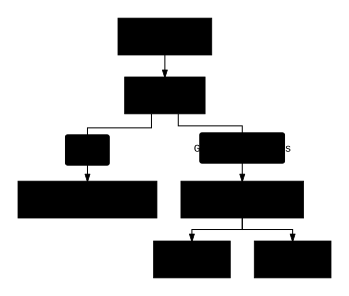
Section titled “How a request reaches its destination”In this example, Japka serves the homepage from disk. Each request under /api/ goes to one available application backend.
Security considerations
Section titled “Security considerations”- Forwarding headers: Japka does not inject or strip
X-Forwarded-For,X-Forwarded-Host,X-Forwarded-Proto,X-Real-IP, orForwarded. Do not rely on client-supplied forwarding headers in backends unless an upstream edge proxy sanitizes them. - No built-in authentication or request body size limit: Enforce authentication and upload size limits at the backend or an upstream gateway.
- Host validation: Duplicate
Hostheaders,@userinfo inHostor URI authority, and mismatched URI authority vs.Hostheaders are rejected with HTTP 400.
Upstream HTTPS and mutual TLS
Section titled “Upstream HTTPS and mutual TLS”Set an HTTPS URL in either upstream list. For example, UPSTREAMS=https://orders.internal:8443 verifies the server certificate against the system trust store and the hostname in the URL. Set JAPKA_UPSTREAM_CA to a PEM bundle to use a private trust store instead. Set both JAPKA_UPSTREAM_CERT and JAPKA_UPSTREAM_KEY to present a client certificate chain and matching private key. These settings apply to every HTTPS upstream in the process. Use separate processes for backends requiring different client identities. Mount private keys as read-only secrets. When Japka rebuilds HTTPS pools during a graceful reload, it rereads upstream trust and client certificate files from their configured paths.
Connection failover
Section titled “Connection failover”Set "failover":true on an individual route in JAPKA_ROUTES or the reload file. For example:
{"routes":[{"prefix":"/api/","upstreams":["127.0.0.1:9001","127.0.0.1:9002"],"failover":true}]}When establishing the upstream connection fails for a GET or HEAD whose body is already known to be empty, Japka can try one different eligible peer. Both attempts share the 60-second header deadline and use the configured balancing policy. Requests with bodies, writes and WebSocket upgrades get one attempt. A backend HTTP response, a timeout or an error after connection establishment does not trigger failover. The access log identifies the last attempted peer.
Fixed upstream connections
Section titled “Fixed upstream connections”Set JAPKA_FIXED_UPSTREAM=1 before startup to use a dedicated HTTP/1.1 connection pool for bodyless, origin-form GET requests on routes with one plaintext IP address and an explicit port. The default (0) uses the general HTTP client. Restart Japka to change the setting. Japka checks the current route, access policy and upstream health on every request. The backend receives the original path and query string. DNS names, HTTPS peers, upgrades and uploads use the general HTTP client.
Each eligible pool reserves 48 idle connections for these GETs and 16 for other traffic. Idle connections expire after 90 seconds. If an idle socket closes, Japka can reconnect once when the HTTP client confirms the request was never sent. If the backend receives the request and disconnects before sending response headers, the client receives a gateway error. A reload gives the new route its own pool.
WebSockets
Section titled “WebSockets”HTTP/1.1 WebSocket requests use the same host and path rules, access policies and upstream selection as other proxy requests. Clients can connect with ws:// on the plain listener or wss:// on the TLS listener. Configure the upstream as a bare address, an http:// URL or an https:// URL. The upstream receives the WebSocket handshake over HTTP/1.1, and Japka relays traffic in both directions after a successful upgrade. Upgrade requests bypass the response cache. Least-connections balancing counts an upgraded connection for the lifetime of the tunnel. An established tunnel keeps its upstream through a configuration reload.
For example, start Japka with UPSTREAMS=127.0.0.1:9001 when a WebSocket application serves /api/live on port 9001. A browser can then open new WebSocket("ws://127.0.0.1:8080/api/live"). Use wss:// with a trusted certificate for an HTTPS site.
Reloadable HTTP pool settings
Section titled “Reloadable HTTP pool settings”The optional proxy object in JAPKA_CONFIG controls all HTTP upstream pools. For example, this file inherits existing routes, selects the least busy healthy peer, and sends an HTTP GET to each backend’s /ready endpoint every five seconds after the preceding probe completes.
{ "proxy": { "balance": "least_connections", "health_interval_secs": 5, "health_path": "/ready" }}| File field | Accepted values | Fallback when omitted |
|---|---|---|
proxy.balance |
"round_robin" or "least_connections" |
JAPKA_HTTP_BALANCE, then round robin |
proxy.health_interval_secs |
Integer from 0 through 4294967295 seconds. Zero disables probes. | JAPKA_HEALTH_INTERVAL_SECS, then 0 |
proxy.health_path |
HTTP path starting with /, optionally with a query, or null |
JAPKA_HEALTH_PATH, then TCP probes when the interval is positive |
Each field inherits independently. A null balance or interval also inherits its startup setting. A null path explicitly clears an inherited HTTP path. Use {"proxy":{"health_path":null}} to switch back to TCP while keeping a positive inherited interval. To disable probes even when a startup HTTP path is set, use {"proxy":{"health_interval_secs":0,"health_path":null}}.
Stage the candidate next to the active file and inspect japka config plan active.json candidate.json --json. On Unix, a successful reload creates new pools and probes. Each peer starts eligible until its first probe finishes. In-flight requests finish on their original pool. A rejected candidate leaves the previous policy in service. On Windows, restart Japka to apply the file. Review and apply a change
Active health checks
Section titled “Active health checks”Set JAPKA_HEALTH_INTERVAL_SECS to a positive whole number of seconds to enable a TCP connection probe for each backend in each HTTP pool. The default is 0 (disabled). Set JAPKA_HEALTH_PATH=/ready (must start with /, and requires a positive JAPKA_HEALTH_INTERVAL_SECS) to use an HTTP GET over the configured transport instead. A 2xx response marks the backend healthy. The probe times out after two seconds and the next interval starts after the probe completes. Each backend starts eligible and the first probe runs immediately. One failed check removes a backend from selection and one successful check restores it. Both balancing modes return 503 when all peers are unhealthy. Enable per-route failover to permit one alternate peer after a connection error. Use an HTTP readiness endpoint when TLS verification or application readiness should determine eligibility.
Per-host static sites
Section titled “Per-host static sites”Set JAPKA_CONFIG to a JSON file containing an optional sites array. For example, this configuration serves two independent builds on the same listener.
{"sites":[{"host":"app.example","root":"build/app"},{"host":"docs.example","root":"build/docs"}]}Proxy routes take precedence. For remaining requests, Japka matches the exact hostname case-insensitively and ignores the port. Unknown hosts use DOCUMENT_ROOT. Paths in the array resolve relative to the configuration file. Each site has its own immutable asset cache and entry limit. On Unix, SIGHUP publishes new roots and fresh site caches together with routes and TLS credentials. On Windows, restart the service. A missing directory or duplicate hostname rejects the entire candidate. Configure per-host certificates separately for TLS clients.